Admin Account Activities
Dashboard
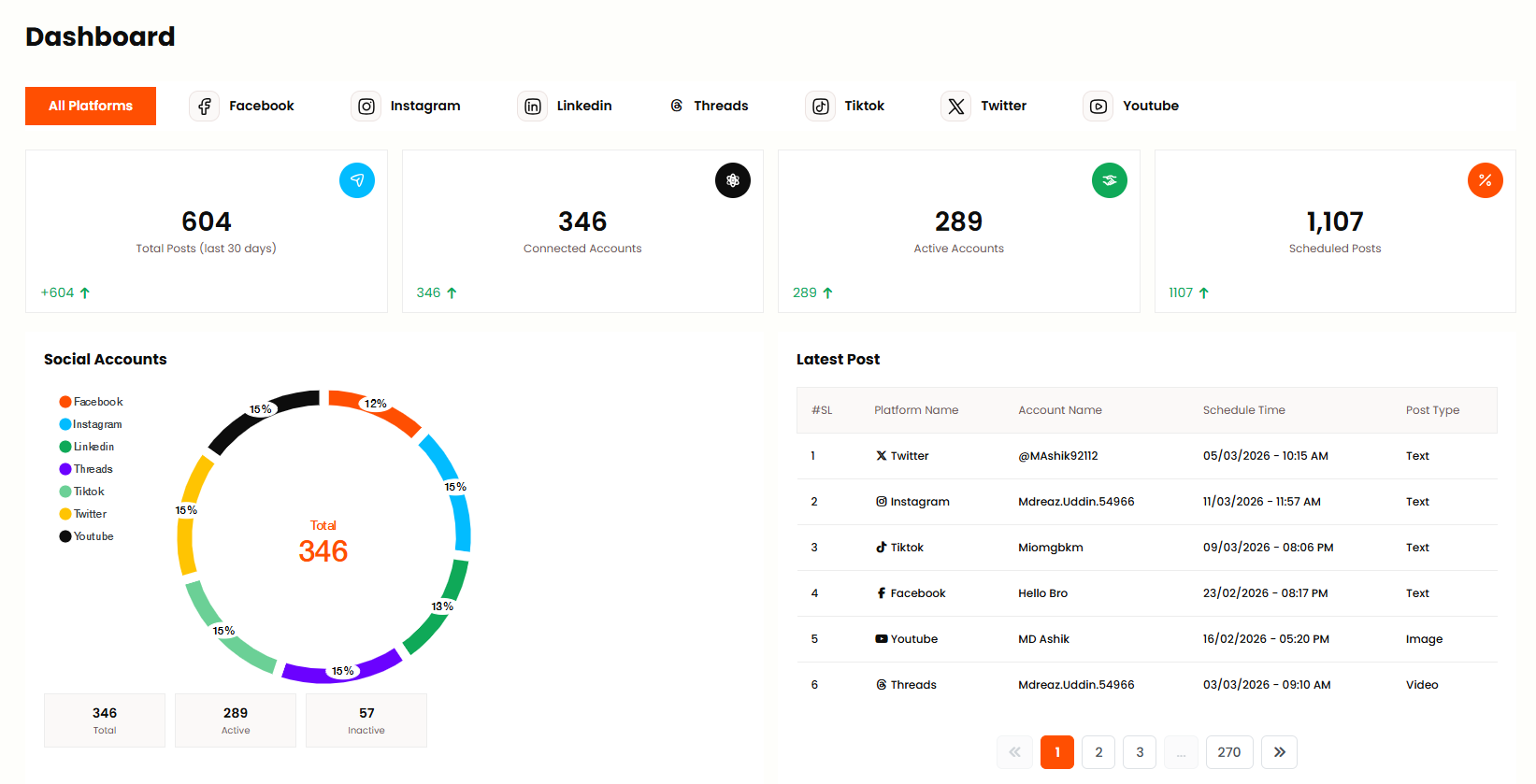
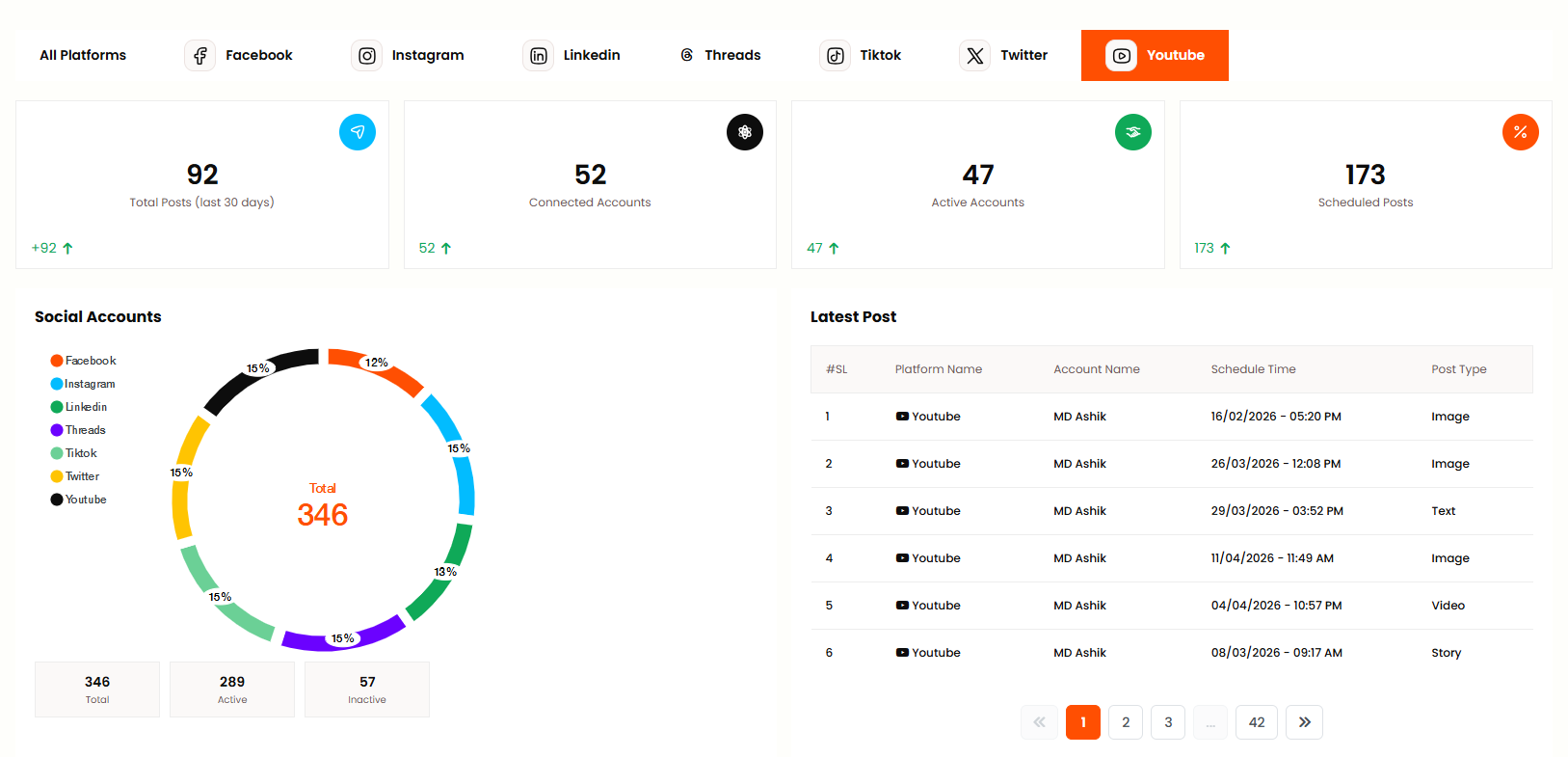
Admin can view an overview of social media activity and key metrics from this panel. Admin can view Overview and recent activity, Latest Posts, Platform Cards for Facebook, Instagram, Twitter, LinkedIn, YouTube, TikTok, Threads, and Connected Accounts status.
All Dashboard
The All Dashboard view shows a comprehensive overview of all connected social media platforms. Admin can see total posts, engagement metrics, account status, and recent activity across Facebook, Instagram, Twitter, LinkedIn, YouTube, TikTok, and Threads. This central dashboard helps admin monitor overall performance at a glance.
Facebook Dashboard
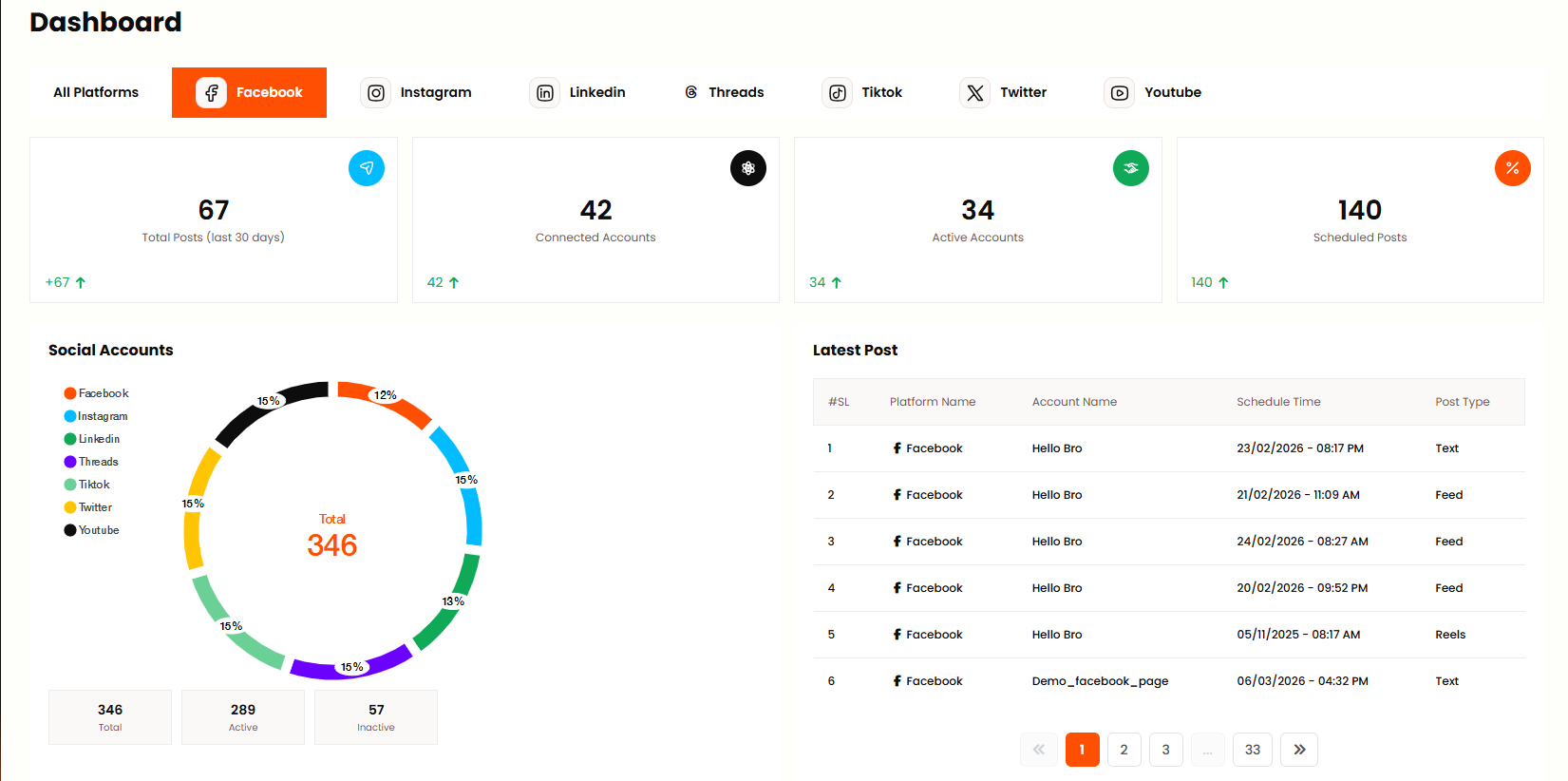
The Facebook Dashboard specifically shows metrics and activity for connected Facebook accounts. Admin can view Facebook page insights, post performance, engagement rates, follower growth, and recent posts scheduled or published on Facebook. Monitor your Facebook social media strategy from this dedicated view.
Instagram Dashboard
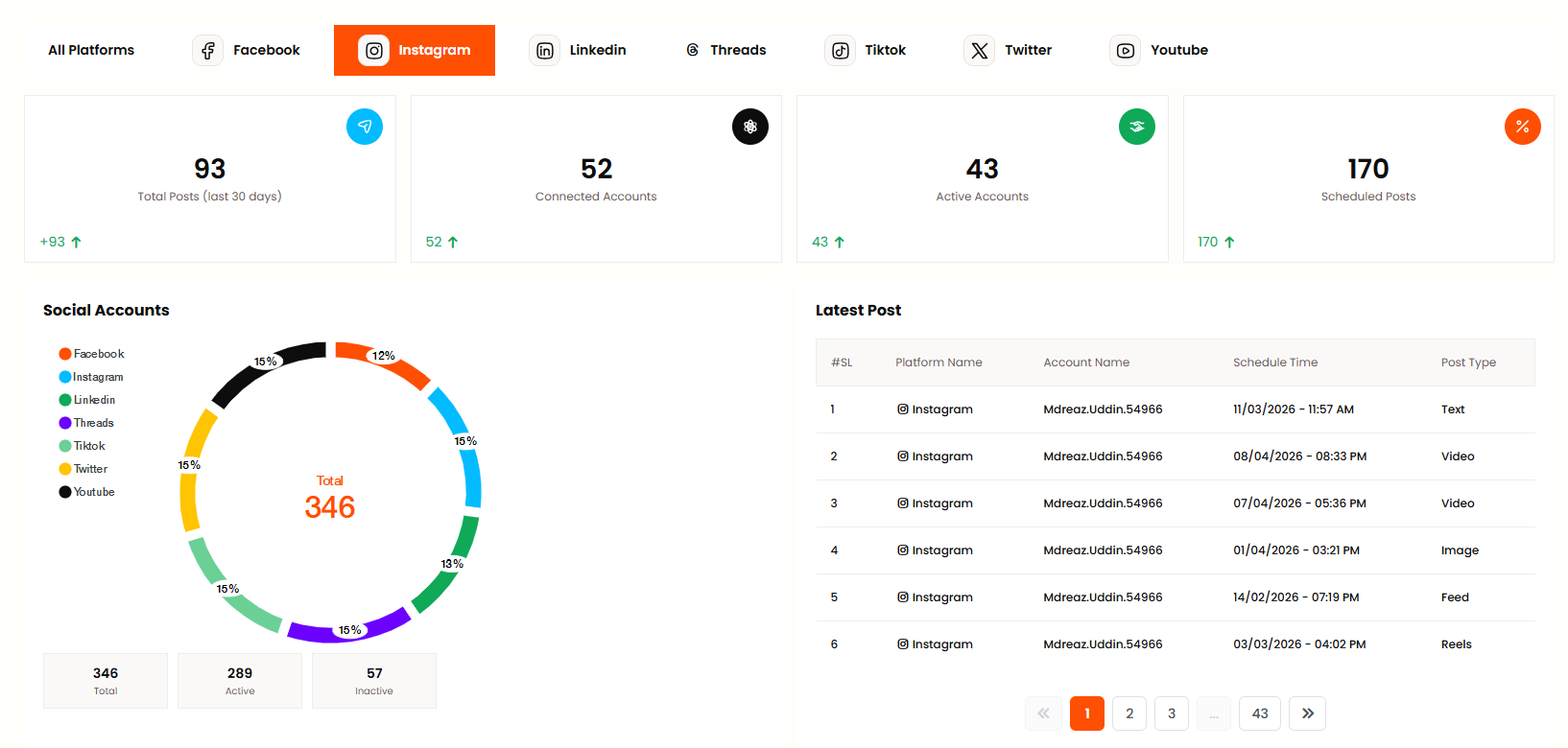
The Instagram Dashboard displays metrics for connected Instagram accounts including Instagram Business or Creator accounts. Admin can see post performance, story analytics, follower demographics, engagement metrics, and scheduled posts for Instagram. Track your Instagram growth and performance from this panel.
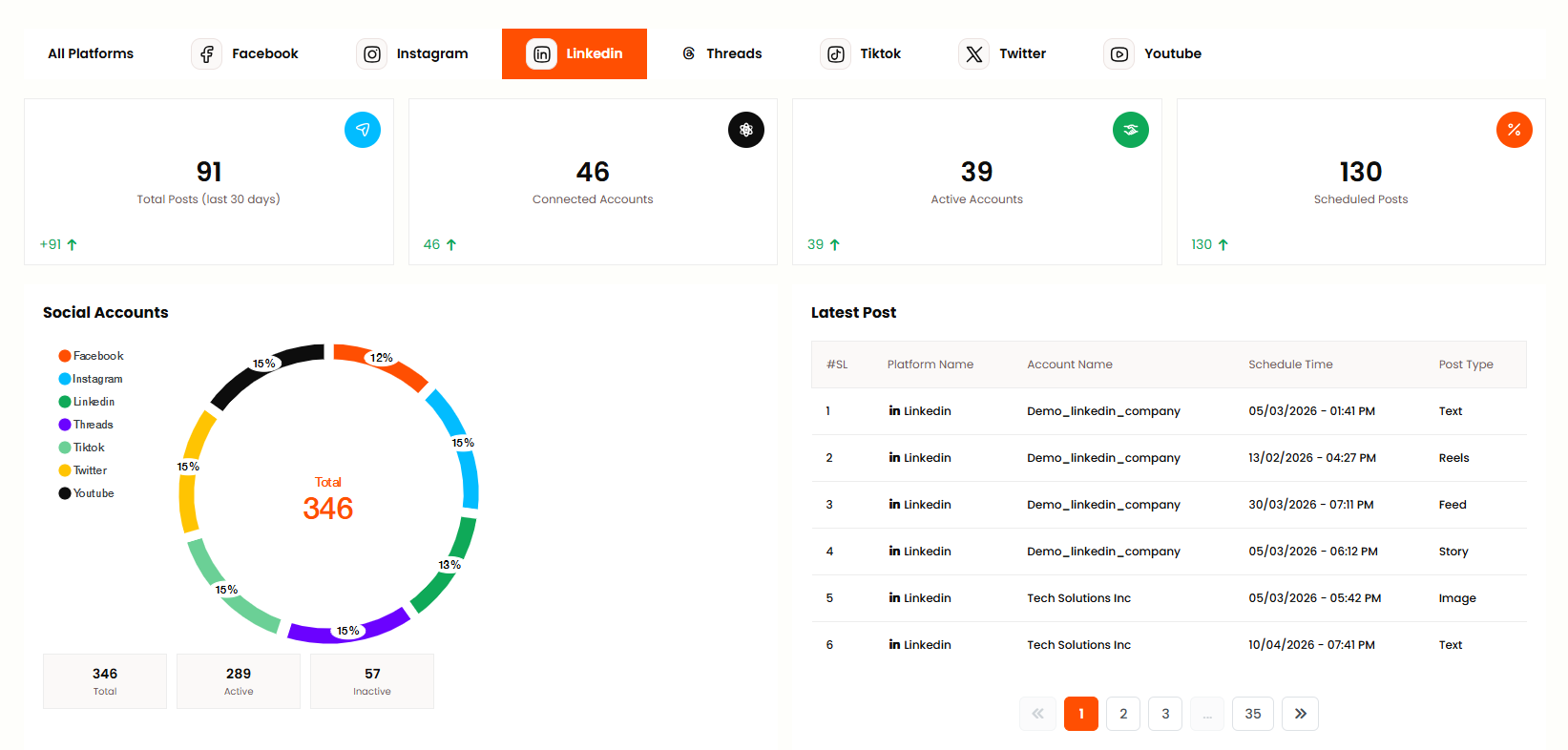
LinkedIn Dashboard
The LinkedIn Dashboard shows metrics for connected LinkedIn profiles and Company Pages. Admin can view post impressions, engagement rates, connection growth, and professional content performance. Monitor your LinkedIn business presence and company page analytics from this dashboard.
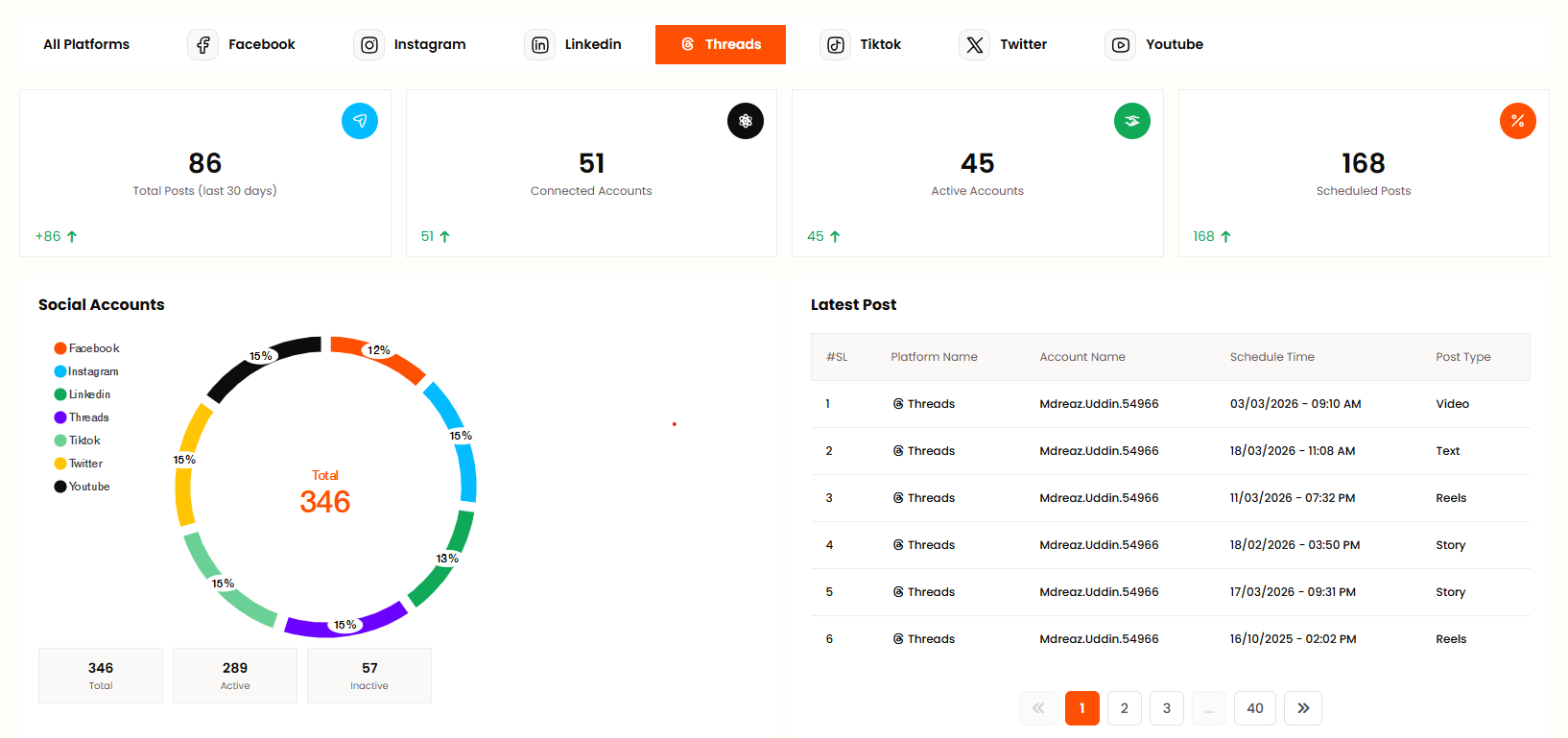
Threads Dashboard
The Threads Dashboard displays metrics for connected Threads accounts. Admin can see post performance, follower growth, engagement metrics, and recent activity on Threads. Track your Threads social media performance and audience engagement from this view.
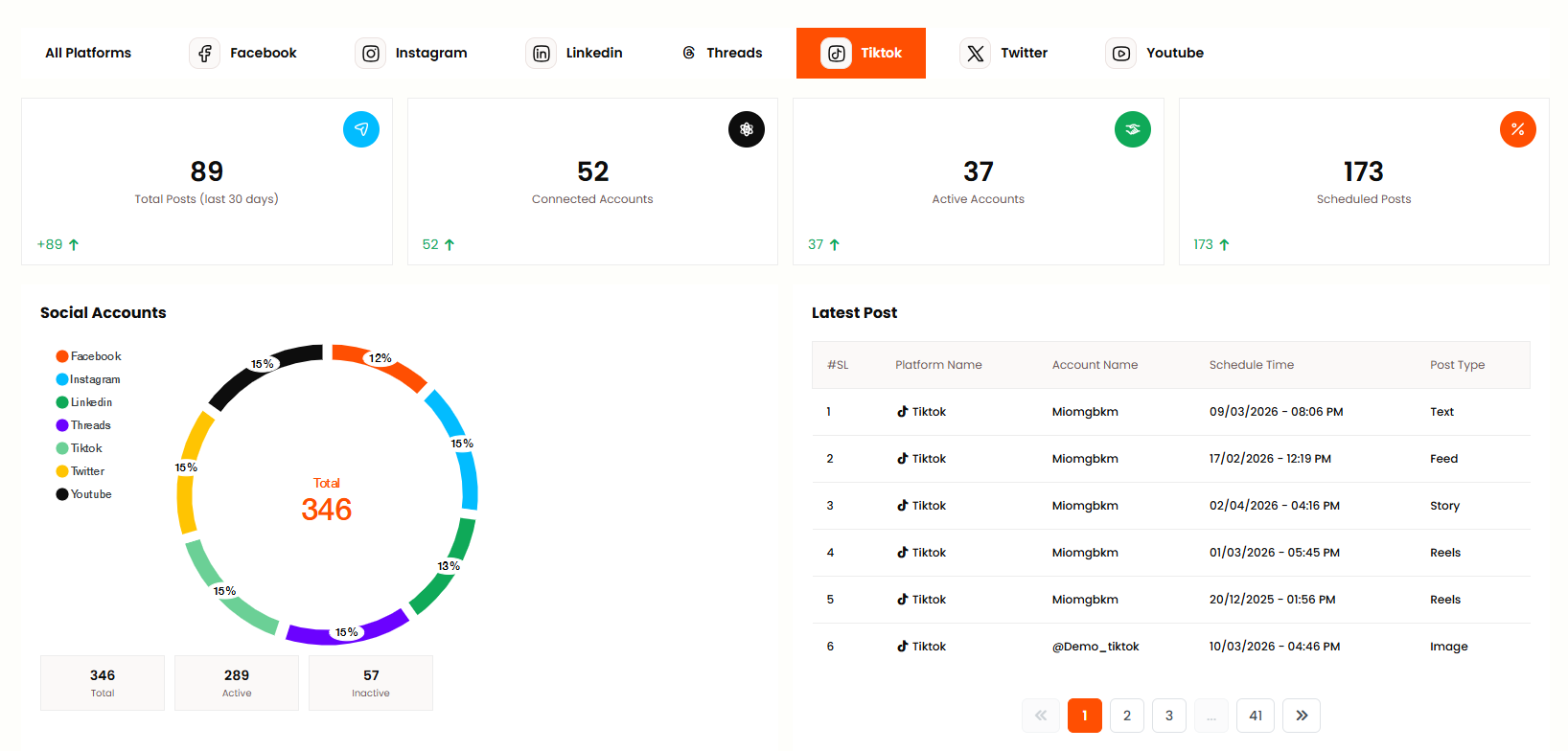
TikTok Dashboard
The TikTok Dashboard shows metrics for connected TikTok accounts including video views, follower growth, likes, comments, and shares. Admin can see trending content performance, audience demographics, and TikTok-specific analytics. Monitor your TikTok creator performance from this dashboard.
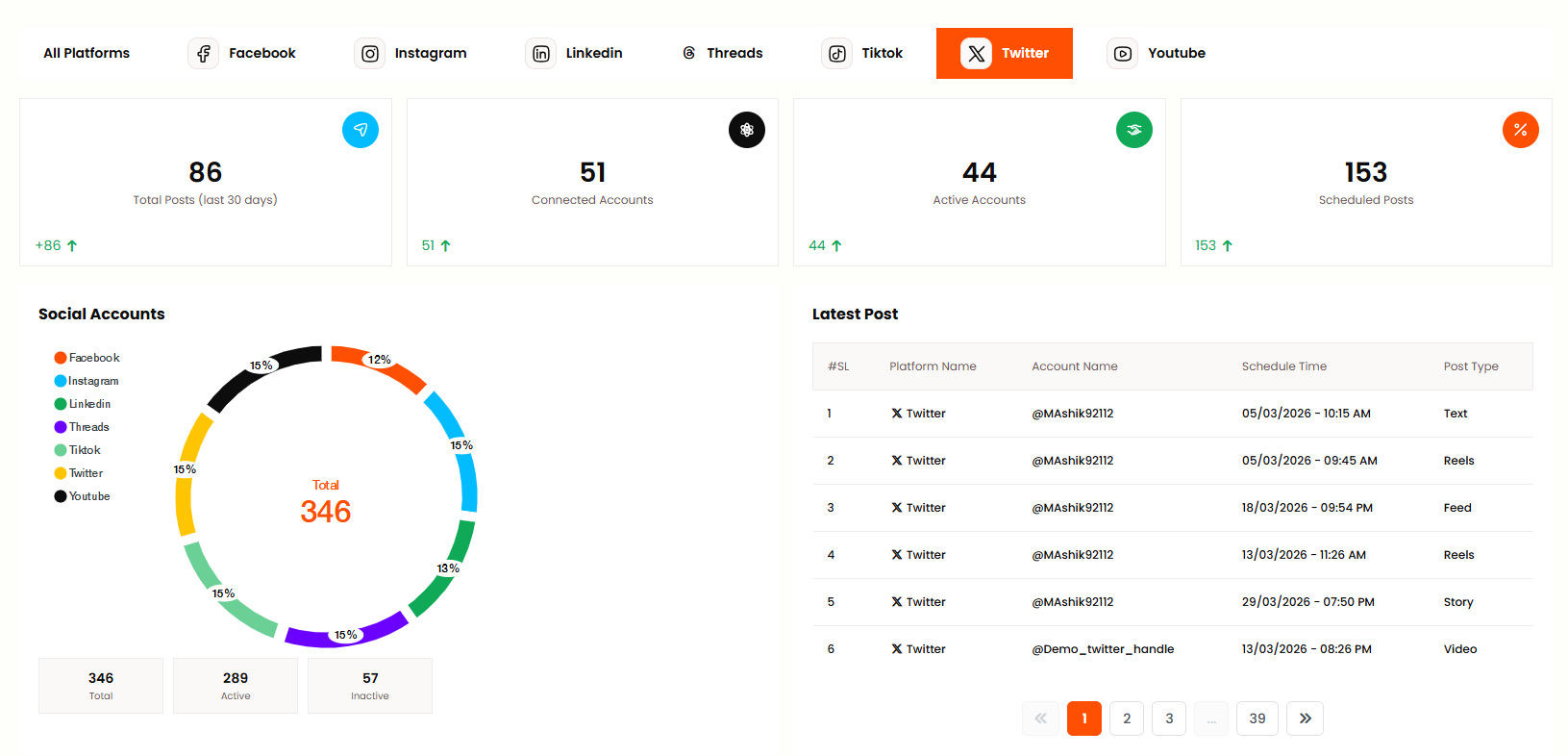
Twitter Dashboard
The Twitter Dashboard displays metrics for connected Twitter/X accounts. Admin can view tweet impressions, engagement rates, follower growth, retweets, likes, and mentions. Track your Twitter social media performance and audience engagement from this panel.
YouTube Dashboard
The YouTube Dashboard shows metrics for connected YouTube channels including video views, subscriber growth, watch time, likes, comments, and channel analytics. Admin can see video performance, audience retention, and YouTube-specific metrics. Monitor your YouTube channel performance from this dashboard.
Social Media
Platforms
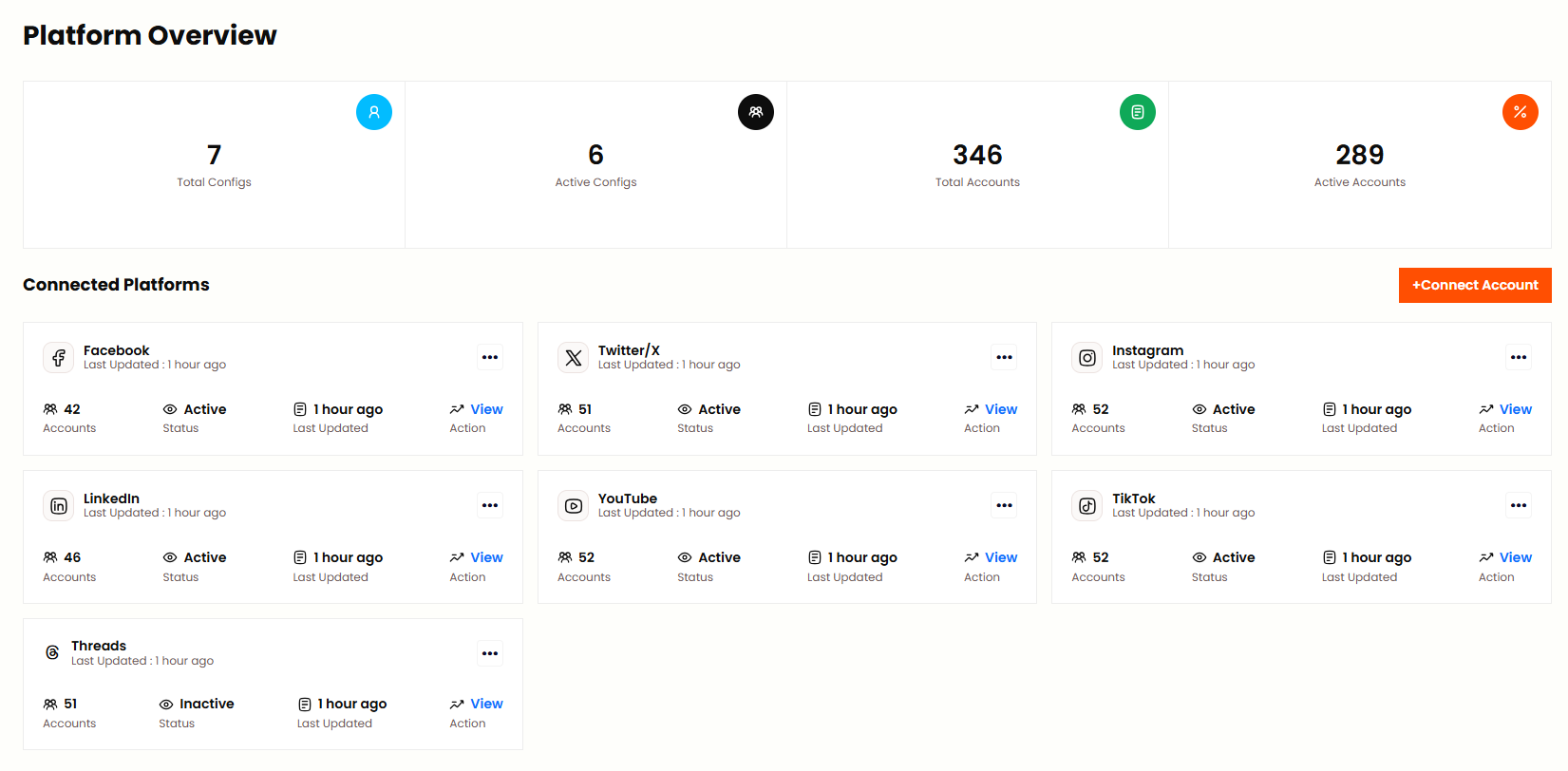
Admin can manage Platform Configuration from this menu bar and configure API credentials for Facebook, Instagram, Twitter, LinkedIn, YouTube, TikTok, Threads. Each platform shows its status and you need to add App ID, App Secret and other required credentials from the respective developer console.
Accounts
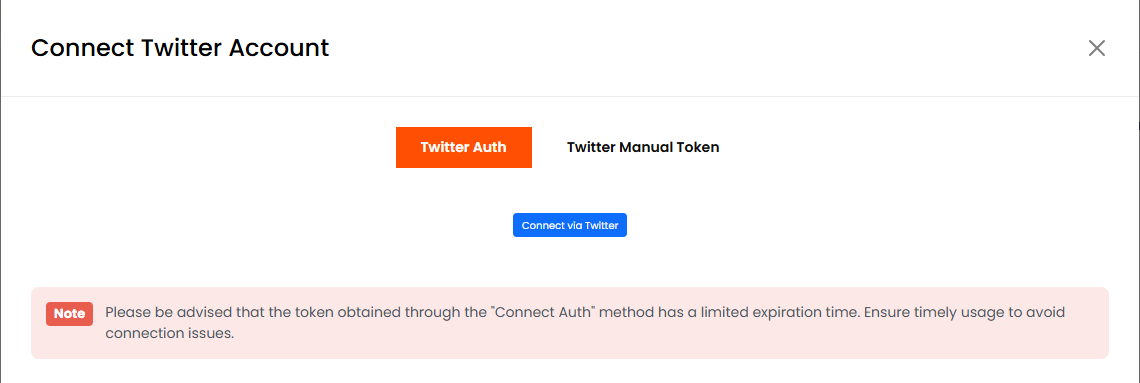
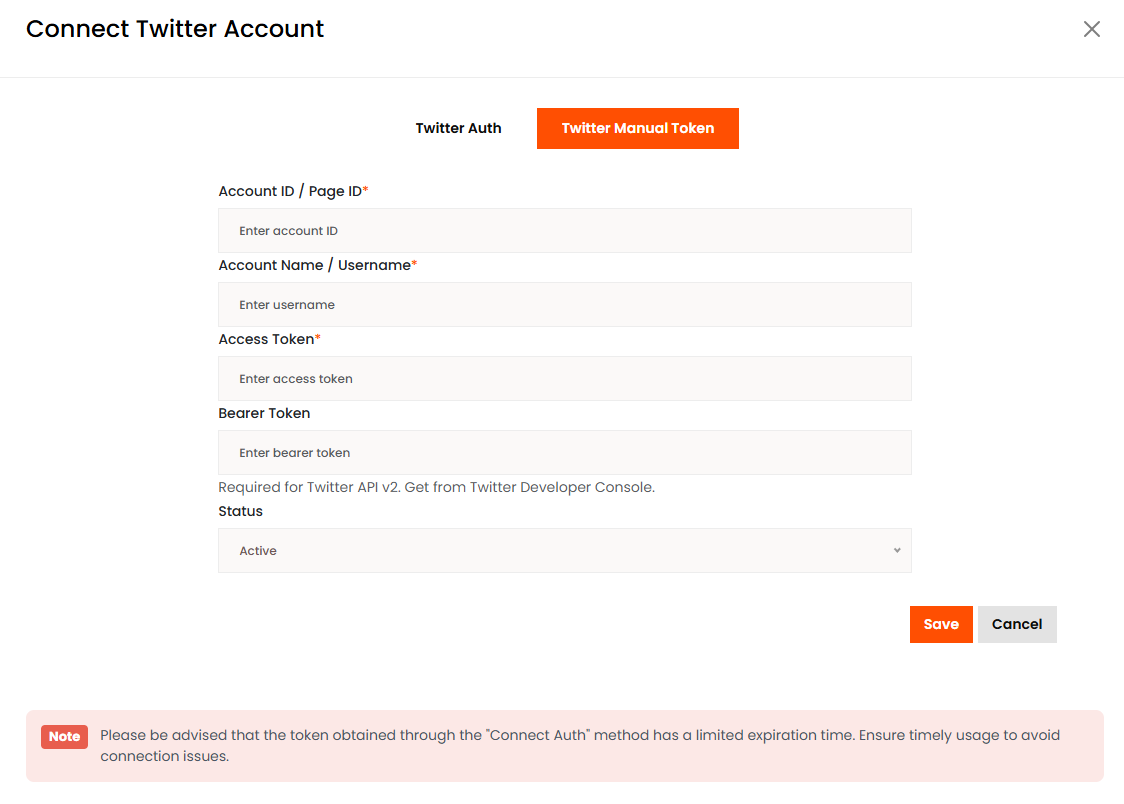
Admin can connect social media accounts (Facebook, Instagram, Twitter, LinkedIn, YouTube, TikTok, Threads) from this panel. Admin can see all connected accounts with Platform, Account Name, Status and Connected Date. Edit or disconnect an account by clicking Action. Before connecting, ensure the platform is configured and active from Platforms menu. Admin can also connect accounts manually using access tokens.
Posts
All Posts
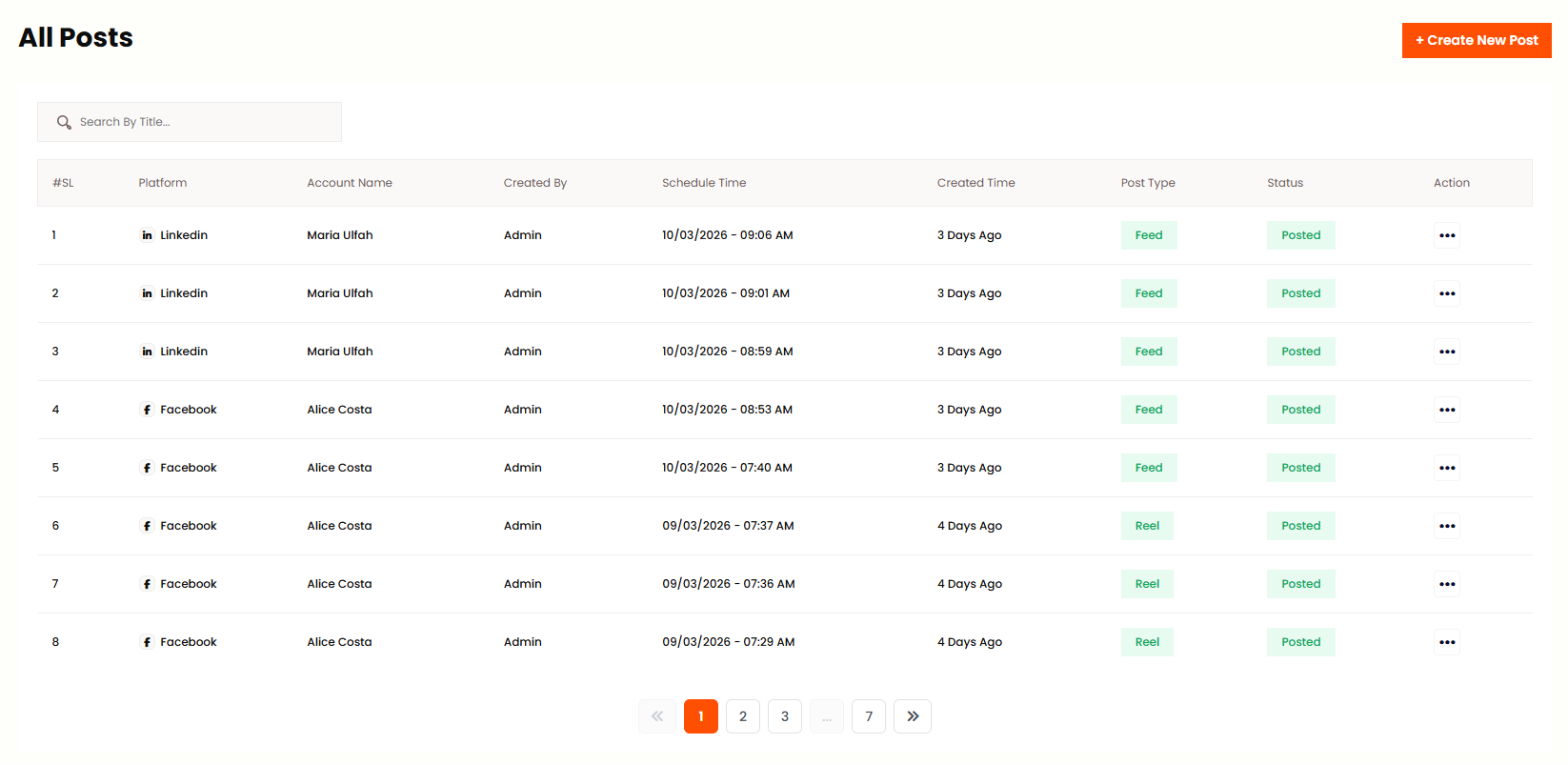
In this panel Admin can see all scheduled posts with Platform, Account Name, Schedule Time, Status. Admin can create new post, edit, delete, cancel or retry failed posts. Admin can view post statistics from this panel.
Create Post
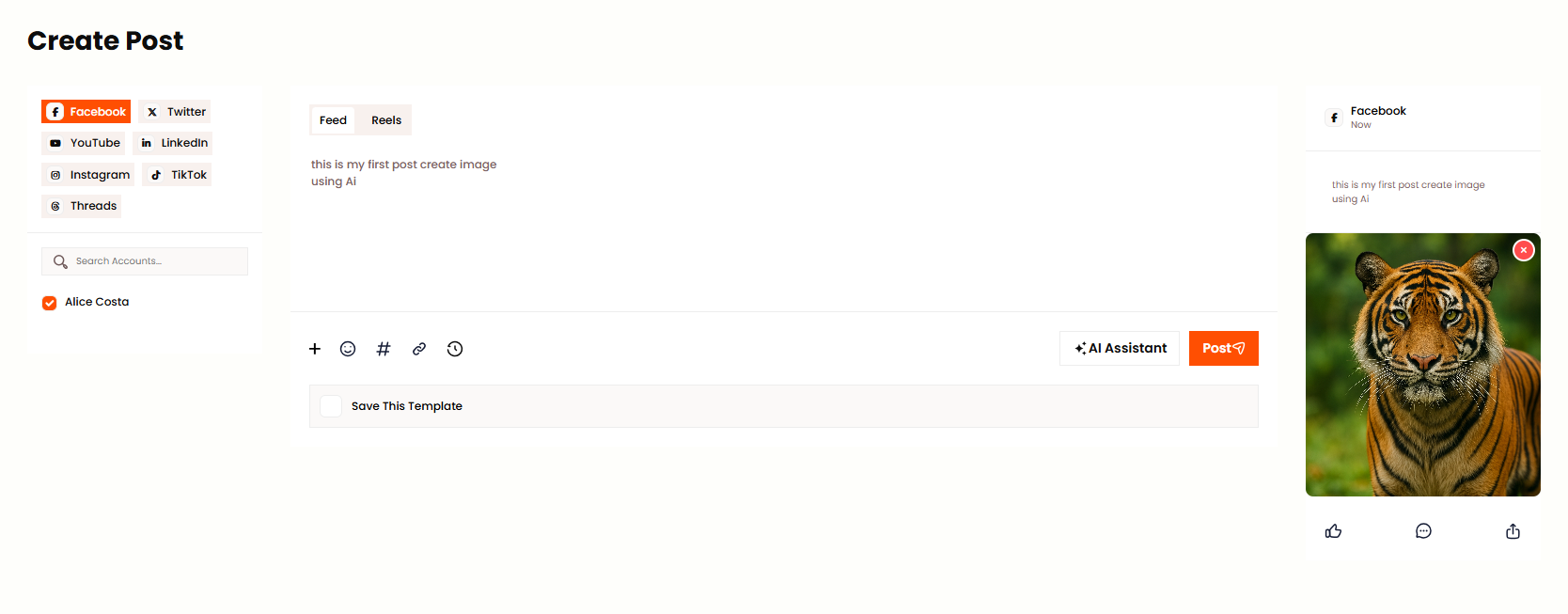
Admin can create new scheduled post from this panel. Select platforms and accounts, add content, images or videos, set schedule date and time. You can use templates for content or add hashtags from the categories. Choose Publish Now for immediate posting or Schedule for later.
Campaigns
Campaign List
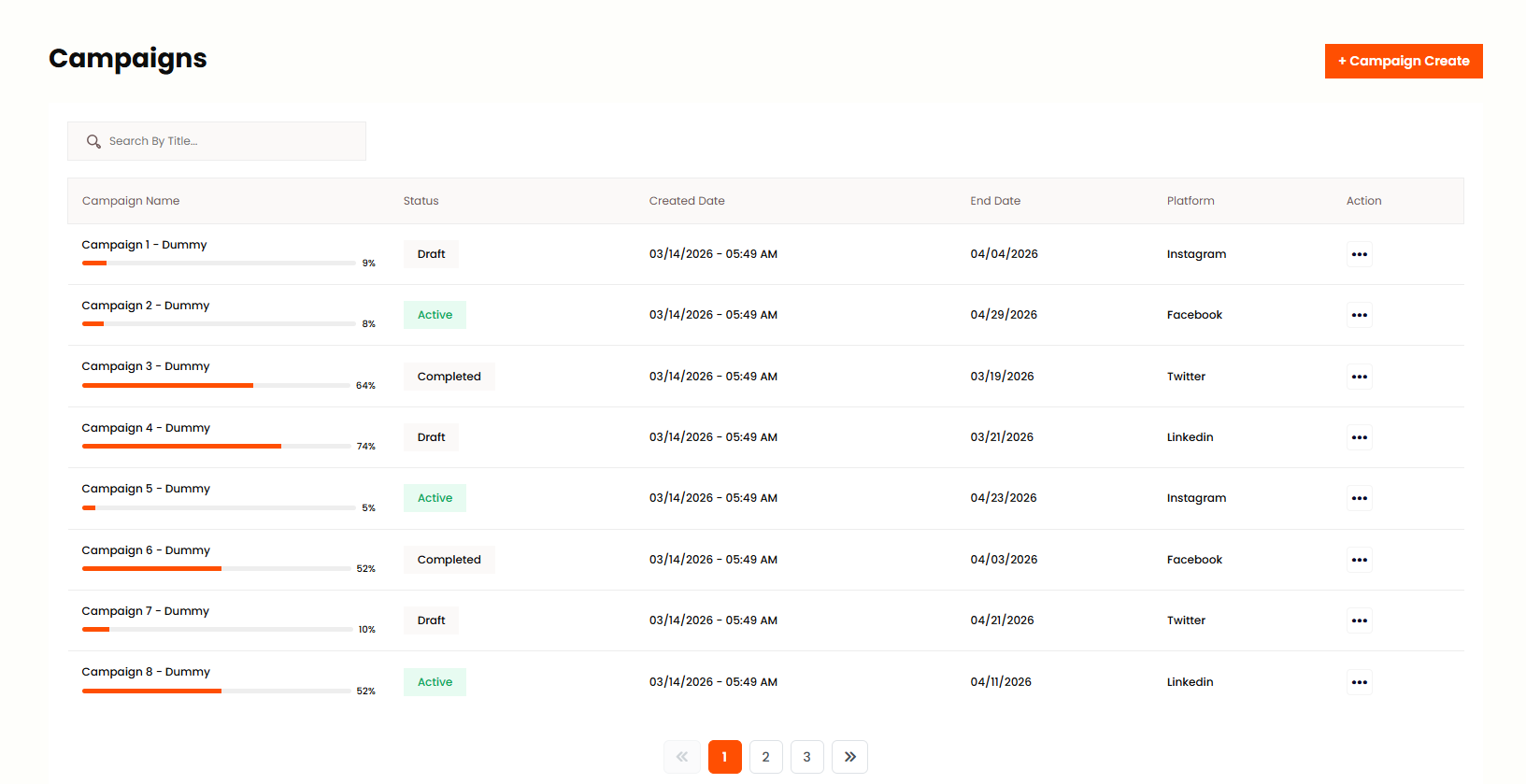
Admin can add, edit and delete campaigns as per his wish from this panel. Admin can see the list of all campaigns with Campaign Name, Status, Created Date, End Date, Platform. Click Action to Edit or Delete a campaign. Use filters to search campaigns by status or platform.
Calendar
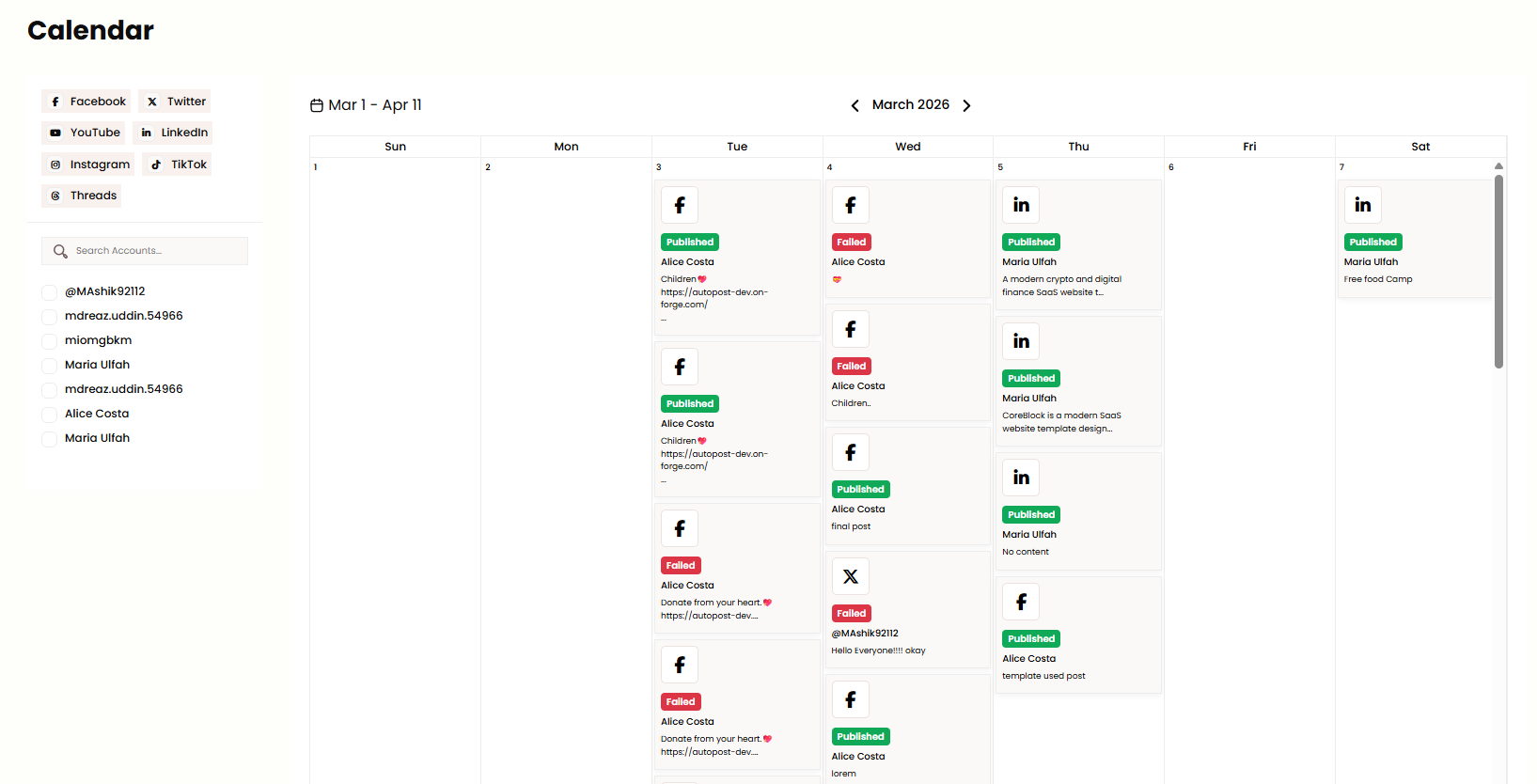
Admin can view scheduled posts in calendar view from this panel. Admin can switch between Month, Week and Day view to see the posts. Admin can Update Date or Publish Now by clicking on the event. Click on any scheduled post to view details or edit before publishing.
Analytics
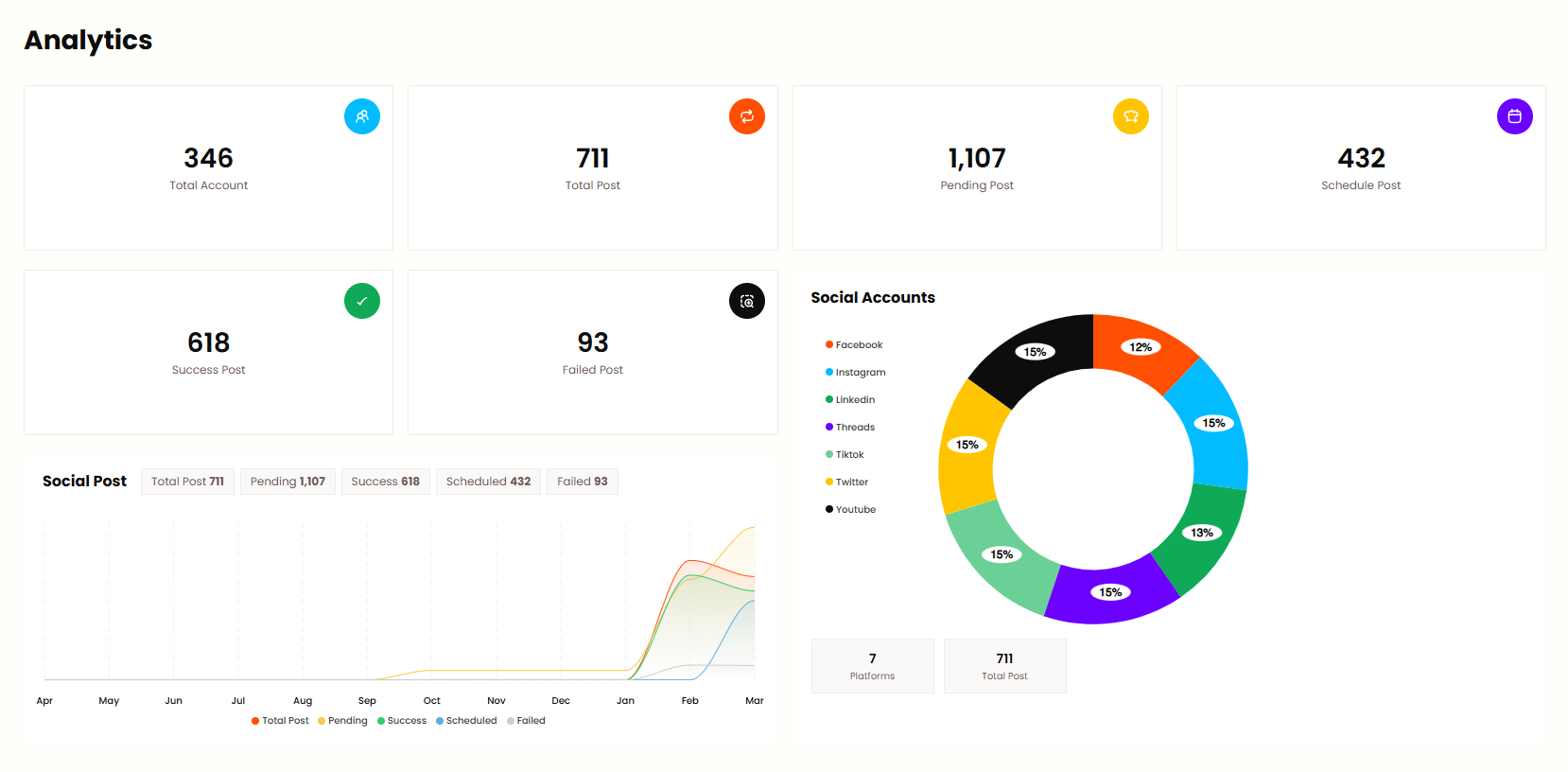
Admin can see post performance, engagement metrics and analytics across connected platforms from this panel. Admin can view total posts, total engagement and platform-wise statistics. Filter by date range to analyze trends. Use this data to improve content strategy and posting schedule.
Support Ticket
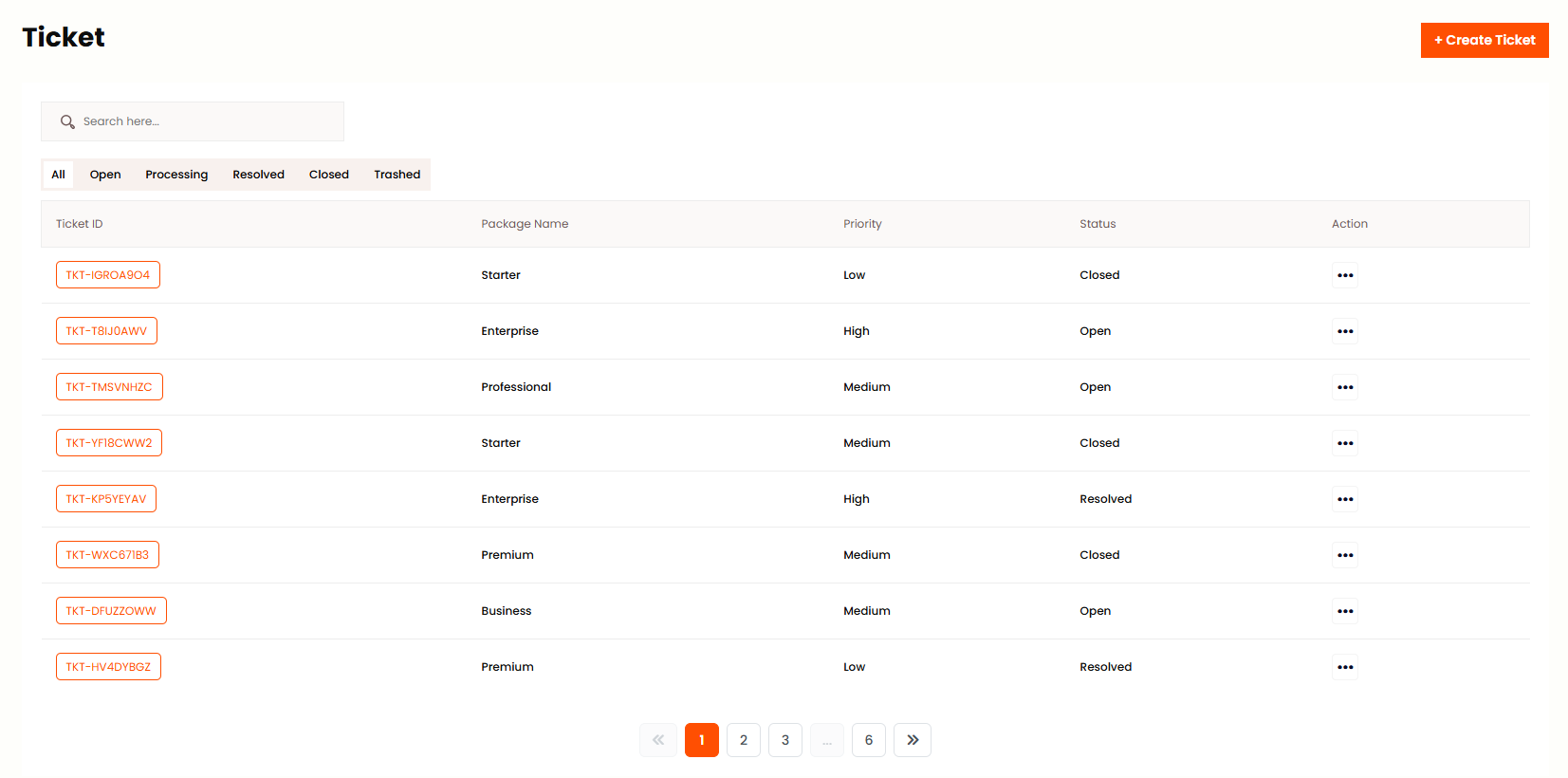
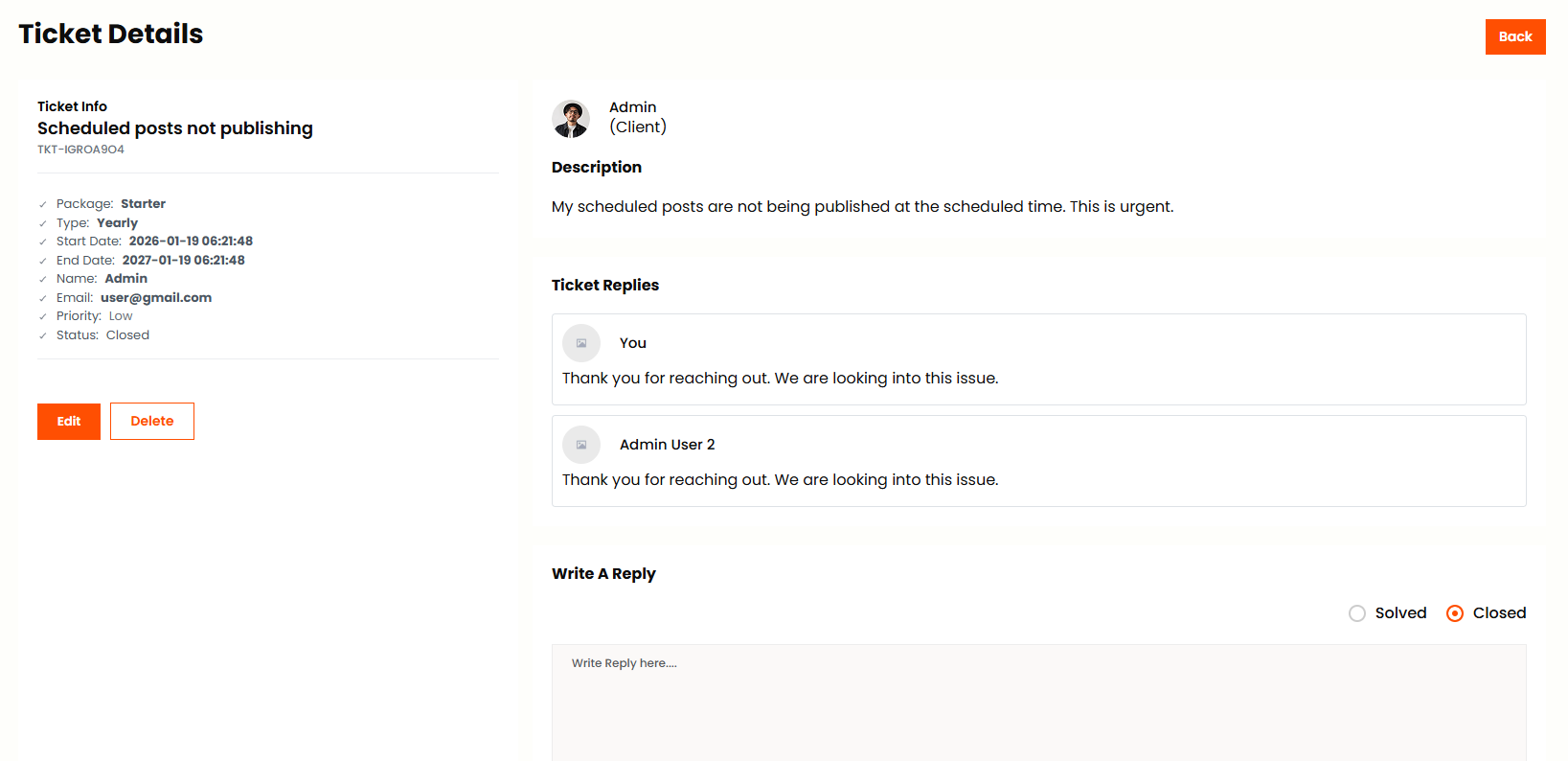
Admin can view all support tickets, add new ticket, edit, change priority, add conversations, change status from this panel. Filter by status: Open, Processing, Resolved or Closed. Click on a ticket to view full conversation and reply to the user. Assign priority (Low, Medium, High) for better organization.
Templates
Template List
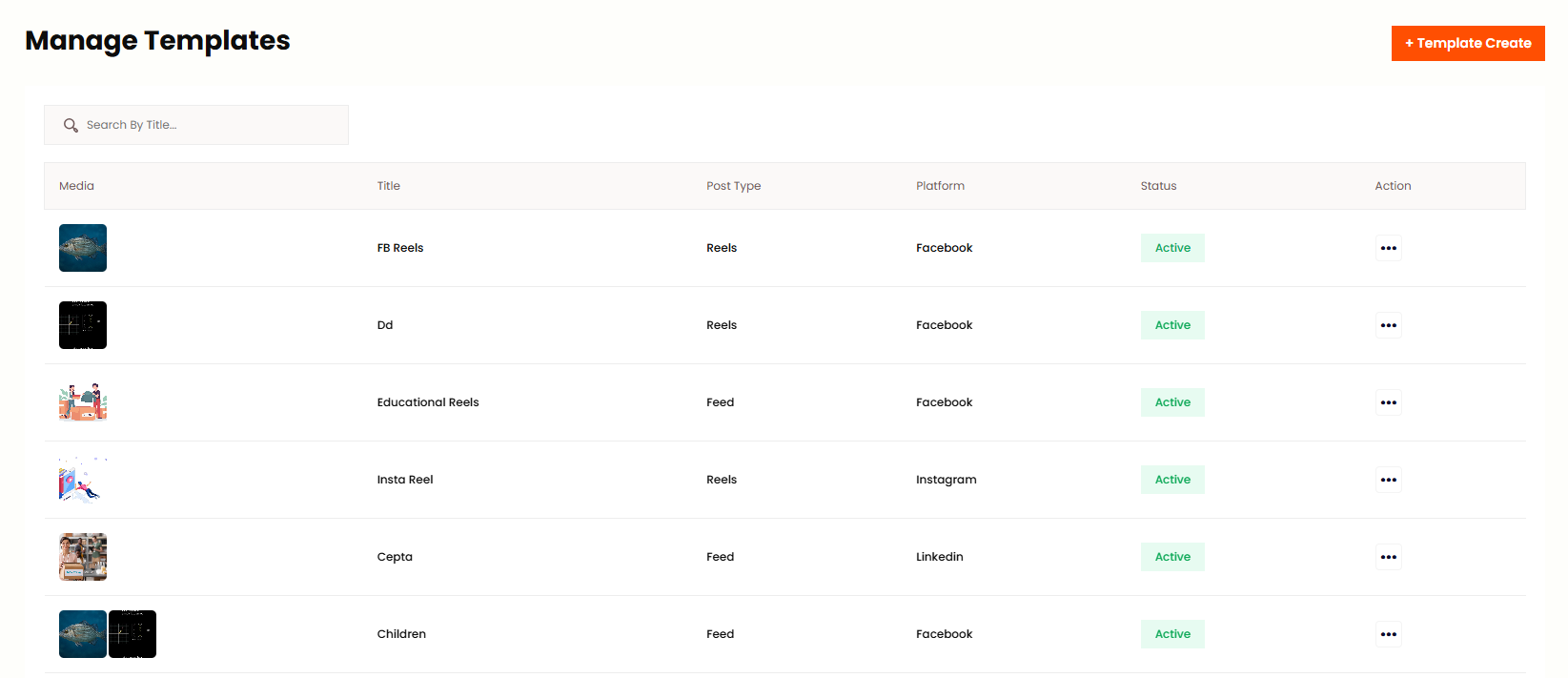
Admin can add, edit and delete templates as per his wish from this panel. Admin can see the list of all templates. Templates can be used for Name, Description, Content, Hashtags when creating posts. Each template has a name and content body. Use Action to Edit or Delete. Templates save time when posting similar content across platforms.
Gallery
Image Gallery
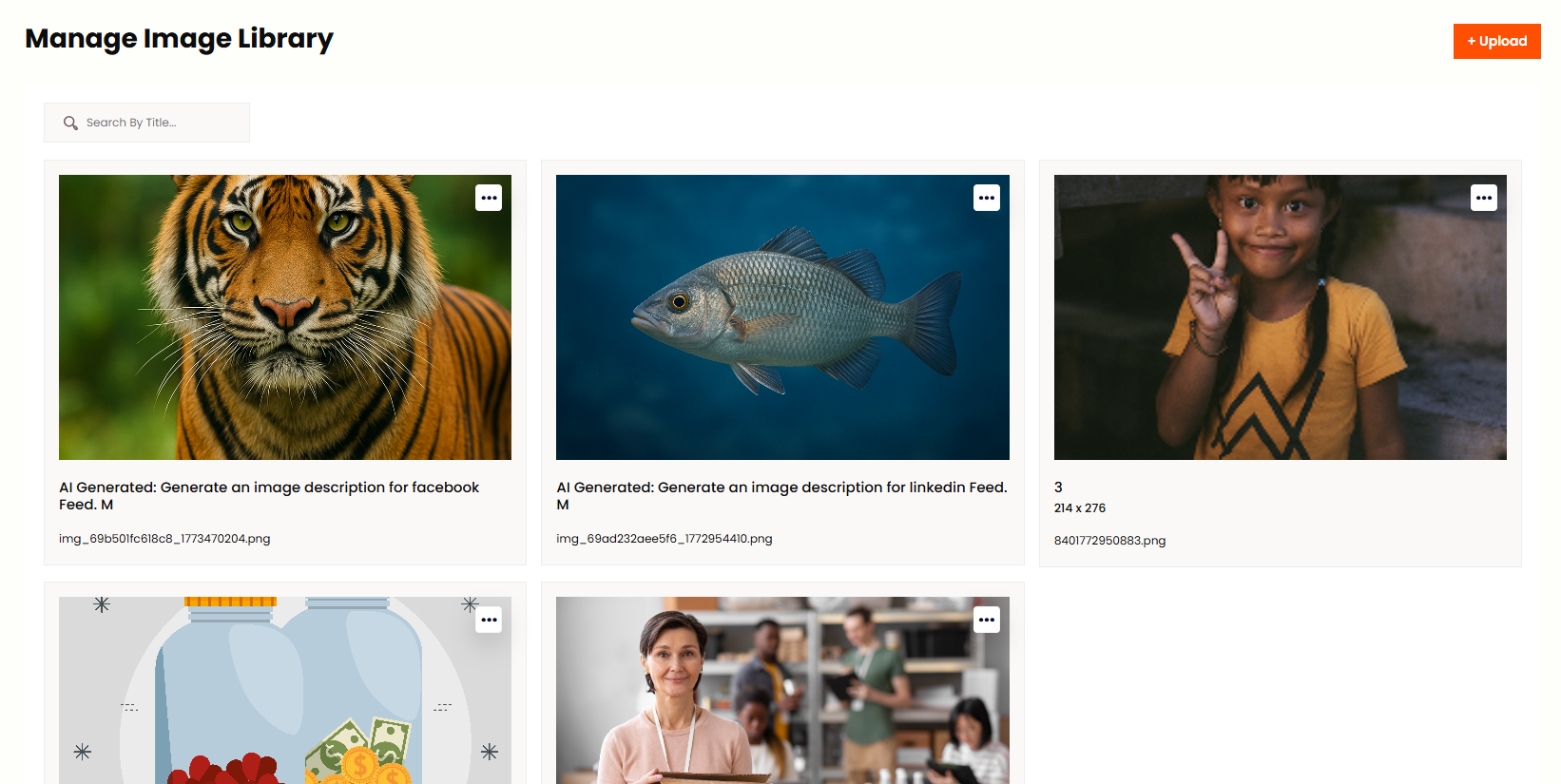
Admin can add, edit and delete images as per his wish from this panel. Admin can see the list of all images with Title, Platform, Search by Title. Upload images to use in posts across platforms. Each image has a title for easy identification. Use Action to Edit or Delete. Images can be reused in multiple posts.
Video Gallery
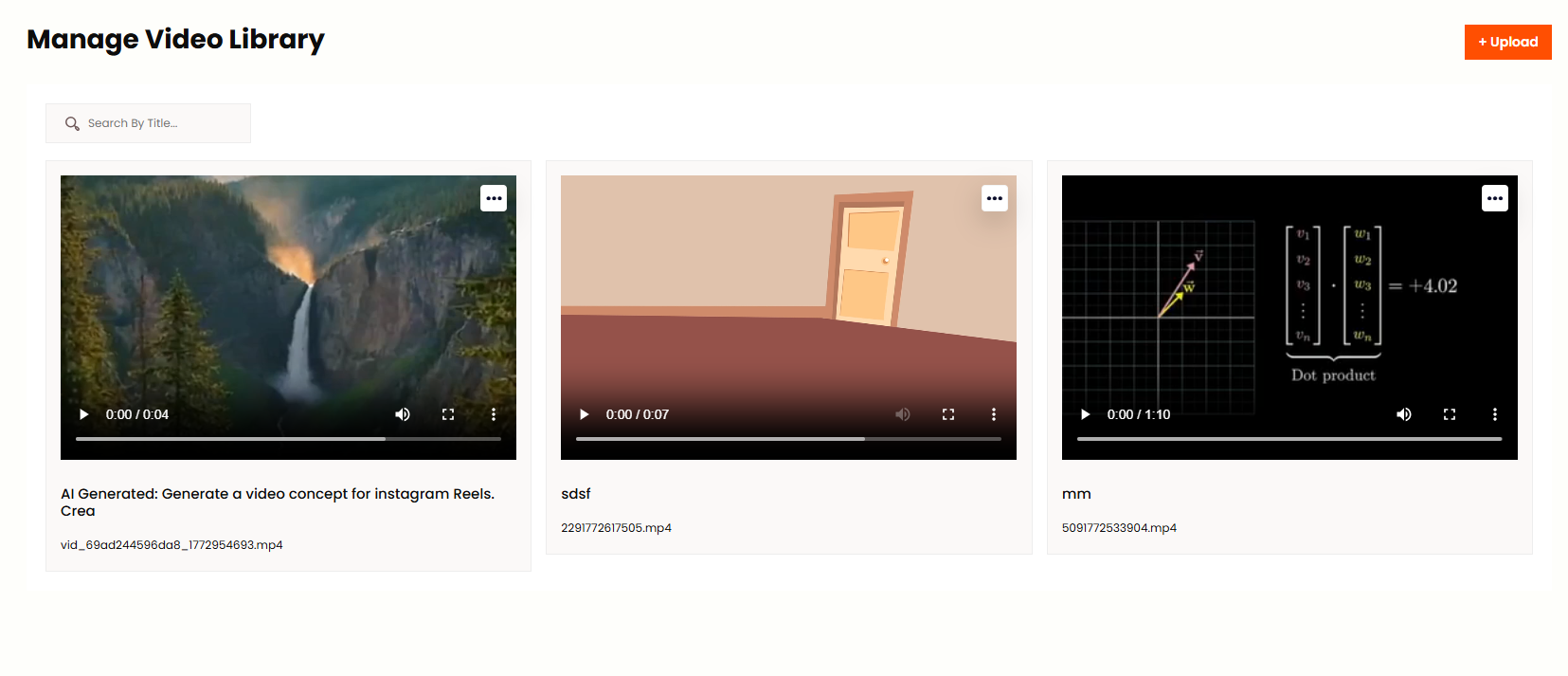
Admin can add, edit and delete videos as per his wish from this panel. Admin can see the list of all videos with Title and Platform. Upload video files to use in posts for platforms like Facebook, Instagram and TikTok. Use Action to Edit or Delete. Videos are stored for quick access when creating posts.
AI Tools
Used AI Image
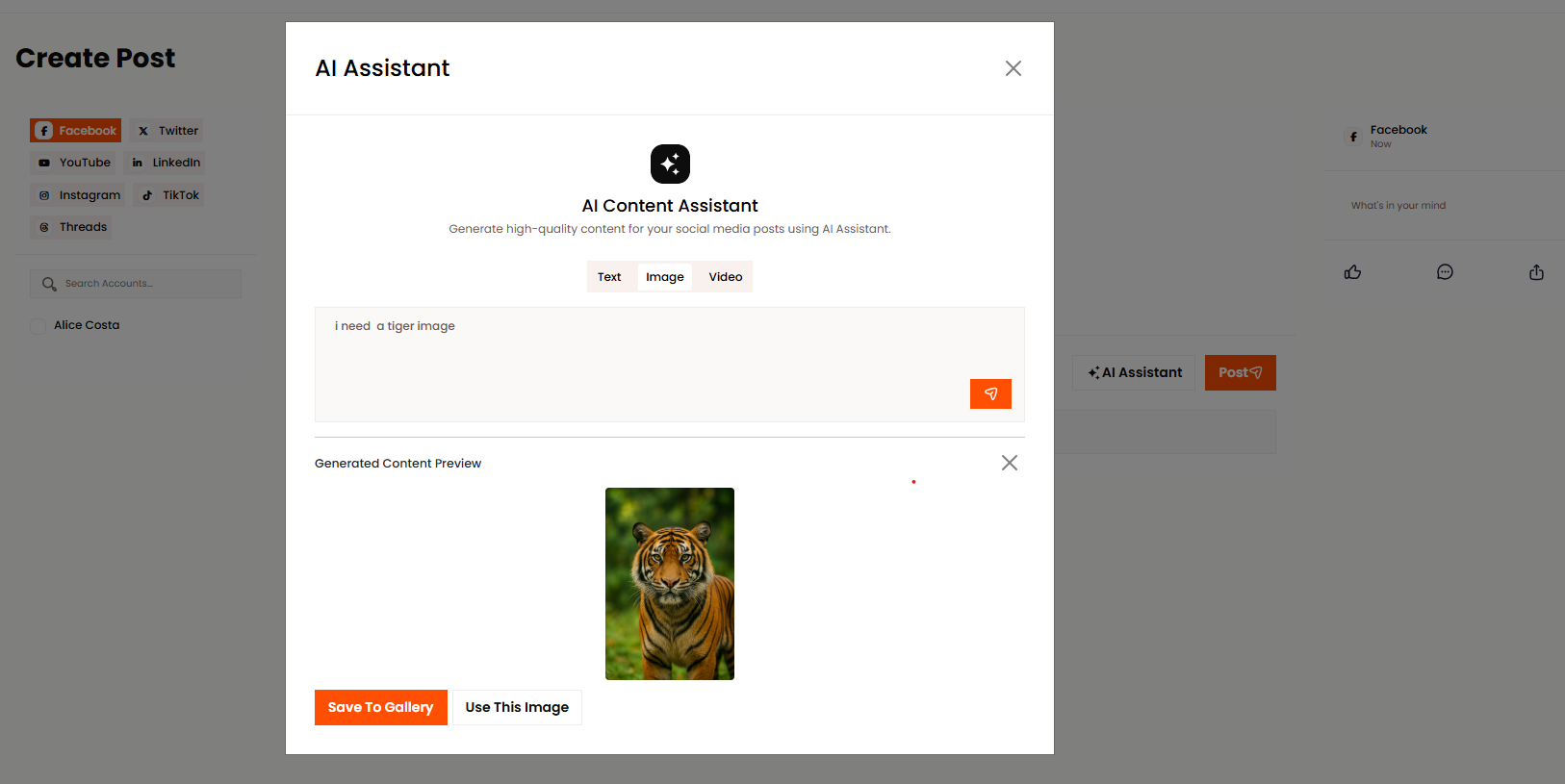
Admin can view all AI generated images from this panel. See the history of AI images used in posts. Each image shows the platform, creation date and usage status. You can view and reuse these images for future posts.
Access Control
Roles
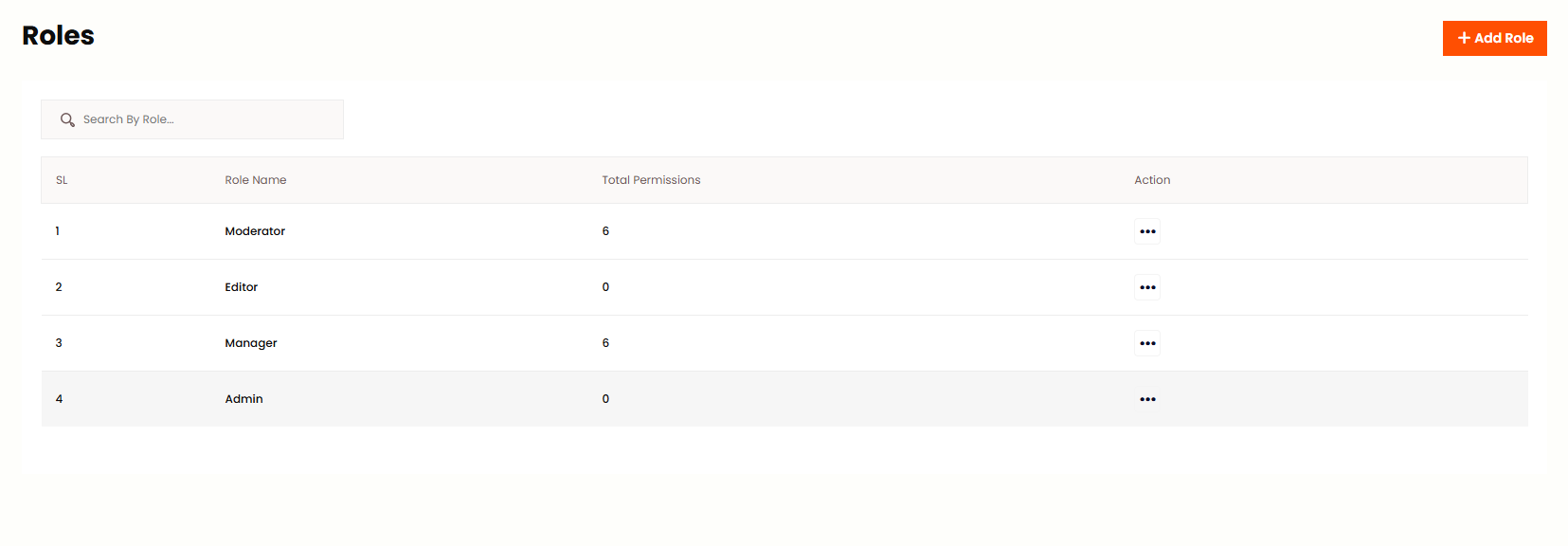
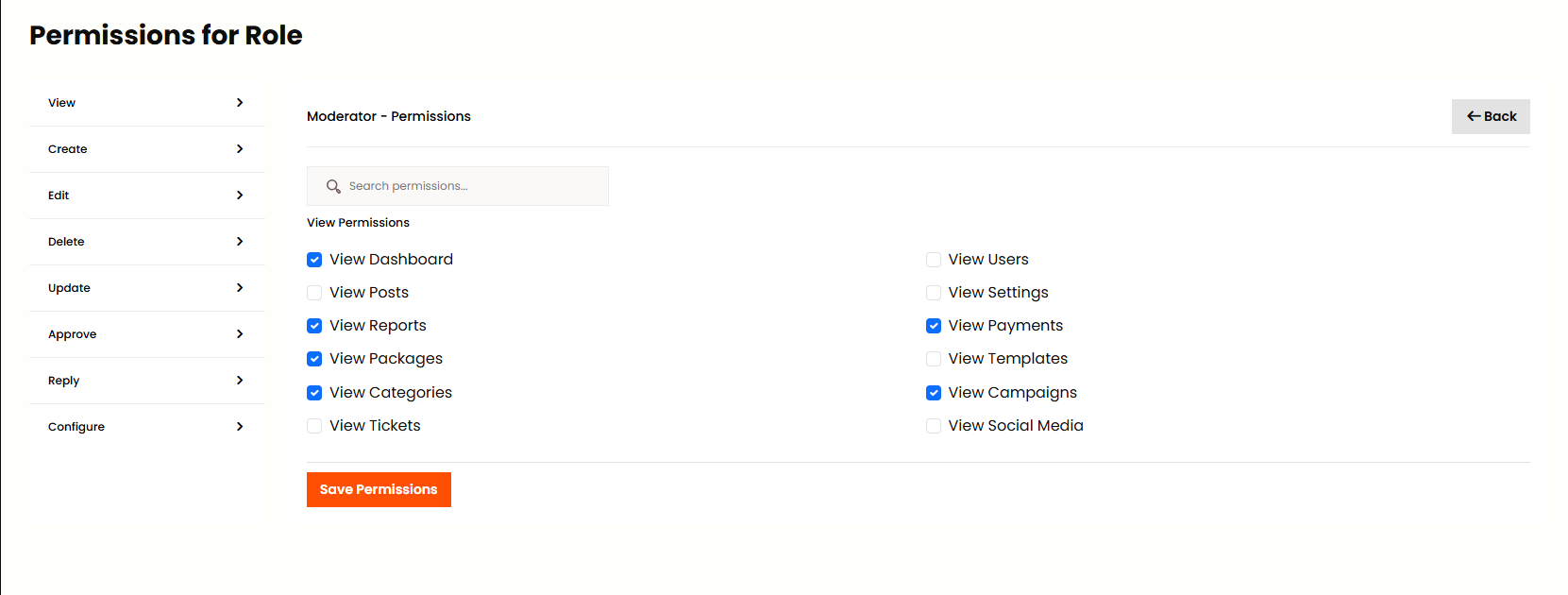
Admin can add, edit and delete roles as per his wish from this panel. Admin can assign permissions to role by clicking Action. Define what each role can access: Dashboard, Posts, Campaigns, Users, Support Ticket and more. Roles control what features users can see and use. Use Edit to modify permissions for existing roles.
Billing Center
My Plan
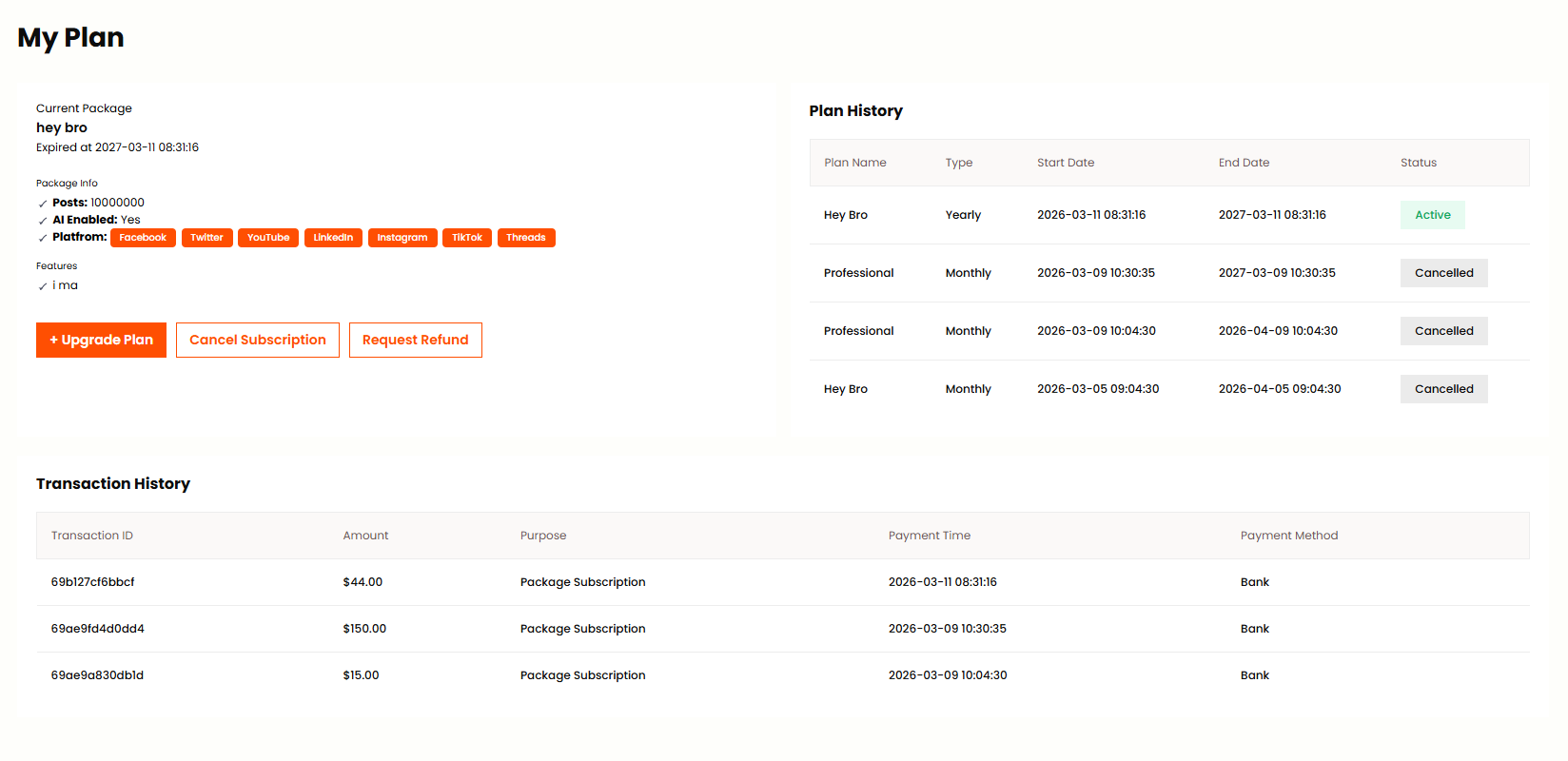
In this panel Admin can see current plan, cancel subscription, view plan history and transaction history. Admin can submit refund request from this panel. View all the features included in your current plan and upgrade or downgrade as needed.
Profile
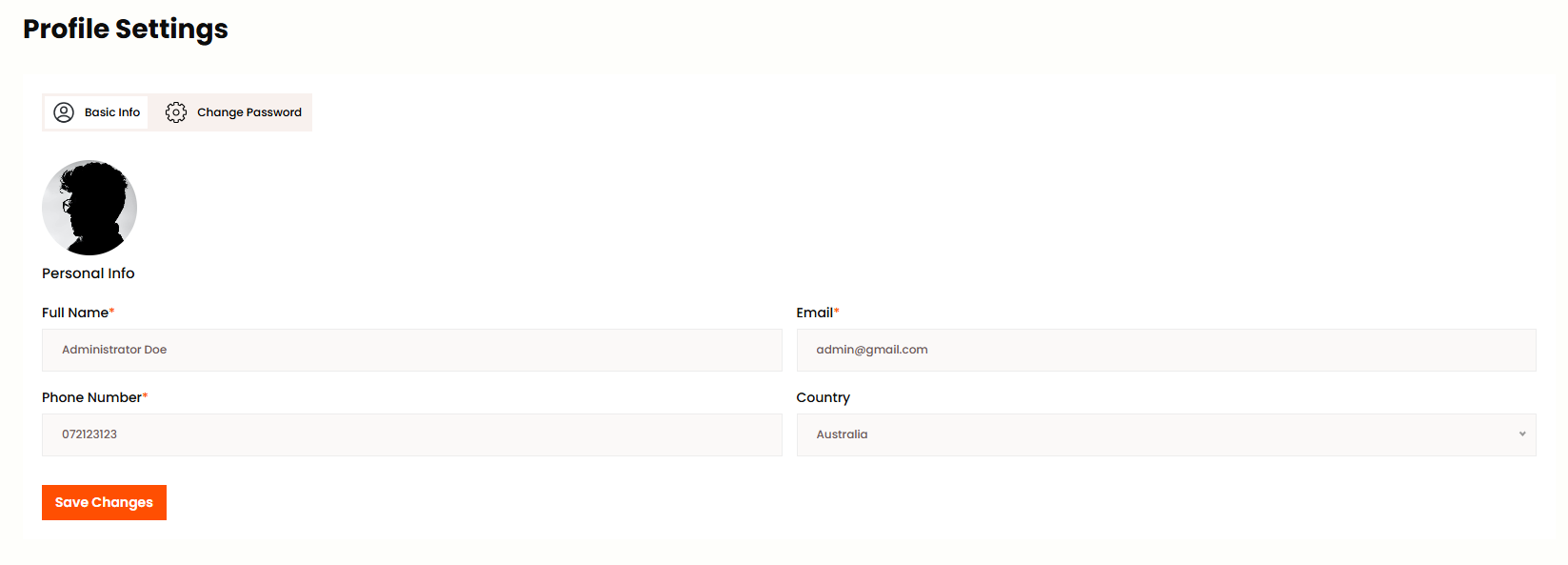
Admin can edit all their profile information or change their profile from this menu bar. Update Photo, Full Name and Email in Personal Info section. Use Change Password to set a new password by entering current password first. Profile changes are saved immediately.